
Send E-mail - HTML Contact Form
In this blog post I have discussed how one can send E-mail (with attachments) via HTML Form without worrying about backend servers such as PHP, NodeJS, Flask, etc.
Hooray!! Welcome to another blog post, this time will discuss something related to frontend. Specially, about creating contact form that sends email. Naturally, when we think about sending email, we get thoughts related to a backend system, which will receive provided input values and satisfy email sending functionality. Which is true!! but really do I have to do that?? The simple answer is No! If you are working on small school project or maintaining low budget website, spending time on learning backend tech doesn't seems reasonable. Sending email with plain vanilla HTML is possible!
Thanks to FormSubmit it supports almost all the essentials functionalities which are required to send E-mail, including attachments, hiding email from spammers/bot etc. Perhaps, all backend work which you were thinking earlier to implement can be taken care by FormSubmit. It is free and easy to use service that provides Form endpoint which either can be specified in the Form action attribute or with AJAX to send form data when a form is submitted.
Send Email - HTML Form
In this guide I will use plain HTML Form that contains basic input fields and a submit button.
    <form action="https://formsubmit.co/your.email@domain.com"
    method="POST" >
    <
    input type="text" name="name" required >
    < input type="email" name="email" required >
    < button type="submit" > Send </button>
</form>
E-mail address in plain text. Really?
One might have concerns for placing E-mail address as path variable in plain text, which is a valid concern too!!. Since this clearly attracts bots and other malicious processes that may scrap this information and create fake user account or send unwanted emails etc. Fortunately, FormSubmit have already taken care of all such concerns. Once you will submit your form data for the first time, FomSubmit will send domain confirmation email along with random string that can be used in place of E-mail address. With this way FormSubmit targets two birds with same bullet. a) Your E-mail address will remain unknown to bots and normal human visitors, b) No other domain would be able to use your FormSubmit endpoint. Being a website owner/maintainer you will have full control over accessing and allowing other domains to use the endpoint.
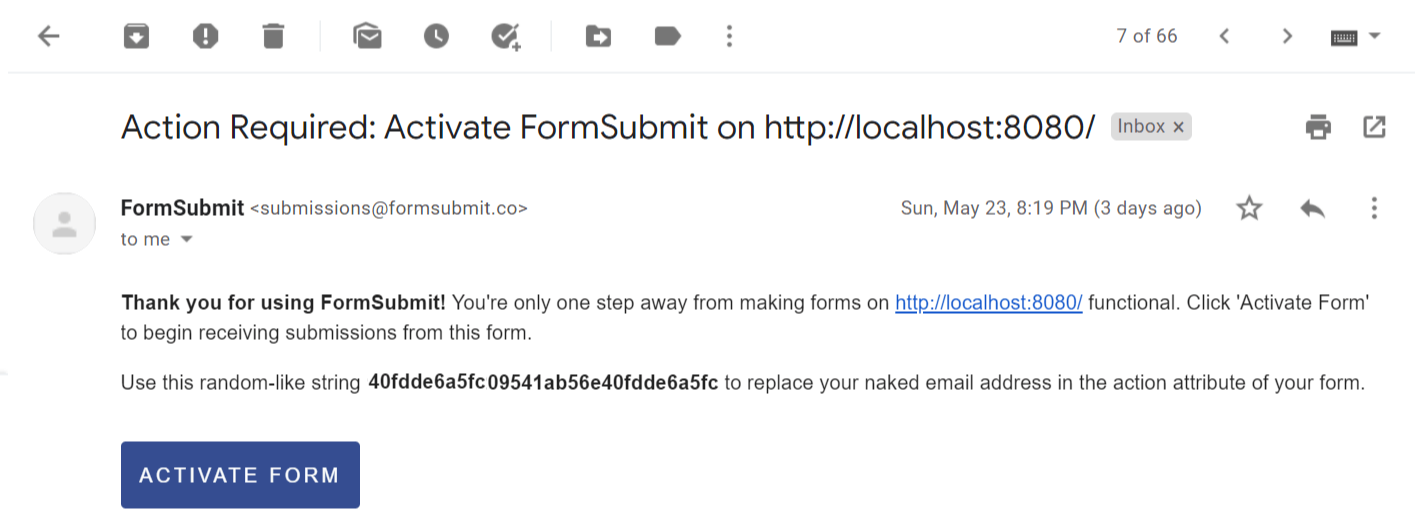
    <form action="https://formsubmit.co/40fdde6a5fc09541ab56e40fdde6a5fc"
    method="POST" >
    <
    input type="text" name="name" required >
    < input type="email" name="email" required >
    < button type="submit" > Send </button>
</form>
Isn't it amazing??
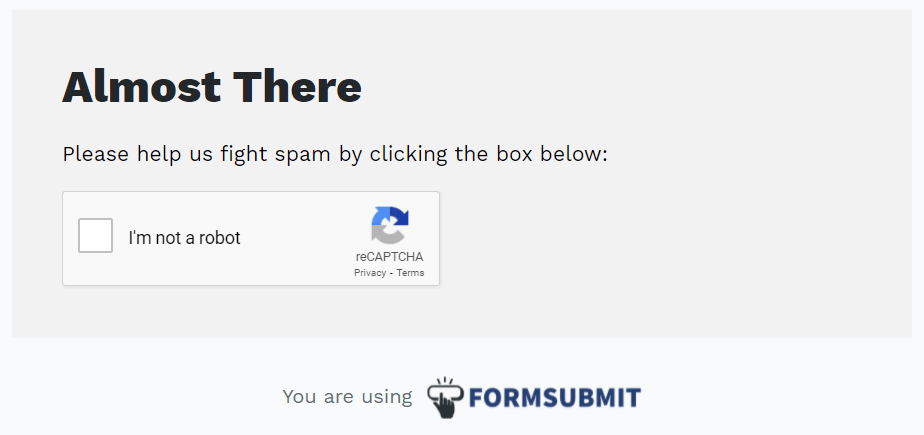
Yeah... sort of!! but still spammer can use your application form to send you unsolicited emails. Well-well-well you are in safe hands. By default, FormSubmit enables captcha which lets your site to filter bots and other malicious programs from normal users (it is highly recommend you should not disable it).
Some Noticeable features of FormSubmit
Like captcha FormSubmit supports some other interesting and cool features too:
Thank you page:
After submitting contact form, by default FormSubmit display "Thank You" page. You can configure your customize webpage/URL as below:
< input type="hidden" name="_next"
    value="https://yourdomain.co/thanks.html">
E-mail Subject:
Having subject in email makes life easier, so that one can quickly reply to submissions without having to edit the subject line every time.
< input type="hidden"
    name="_subject" value="Site User - New Message!" >
E-mail CC:
This feature allows sending Carbon Copy (CC) of website user's message to the another email address(es). Comma separated list can be used for multiple email addresses:
< input type="hidden"
    name="_cc" value="another.email@domain.com">
<input
    type="hidden" name="_cc" value="another.email@domain.com,
    yetanother.email@domain.com">
Attachments:
FormSubmit supports email attachments as well, this will allows you to upload files natively via form.
In order to do that you are required to override enctype attribute of HTML form. In the form declaration, you need to set "enctype=multipart/form-data".
< form method="POST"
    action="https://formsubmit.co/your@email.com"
    enctype="multipart/form-data" >
    < input type="email" name="email" placeholder="Your email" >
    < textarea name="message" placeholder="Details of
    your problem" ></ textarea >
    < input type="file" name="attachment" accept="image/png, image/jpeg"
    >
    < button type="submit"
    >Send Test</ button>
</ form>
Conclusion
Although I discussed very few sets of features which FormSubmit supports, you now have created fully functional contact Form that delivers email, along with attachments, provide support for detecting bots and human visitors through captcha.
For complete documentation and API support please refer FormSubmit. It is free service, if you do use them, please go ahead, and sponsor them to support them. I really do appreciate folks who opens their work to us like this. Nevertheless, this would be technically hard and time consuming if one starts implementing it from scratch.

Principal Engineer, Payments & Fraud Platforms at US Mobile, in New York, USA. I write about the systems I run: fraud decisioning, payment platforms, edge security, and production AI.