Java 11: the LTS that made teams leave Java 8
Java 11 is the first long-term support release under the six month cycle, and the version that made teams leave Java 8. A modern HTTP client, var, single-file launch, and Flight Recorder all arrive here. Here is what it actually changes, with code you can run, explained so a junior developer or a student can follow along.
Java 11 is the long-term support release, out September 25, 2018. It is the first LTS under the six month release cycle, and the first LTS after Java 8. It is the version that made teams leave Java 8, because Java 9 and 10 were short-term releases with no long-term support. This post shows what it actually changes, with code you can run. If you are a junior developer or a student, this is written for you.
1. What "LTS" means, and why it matters#
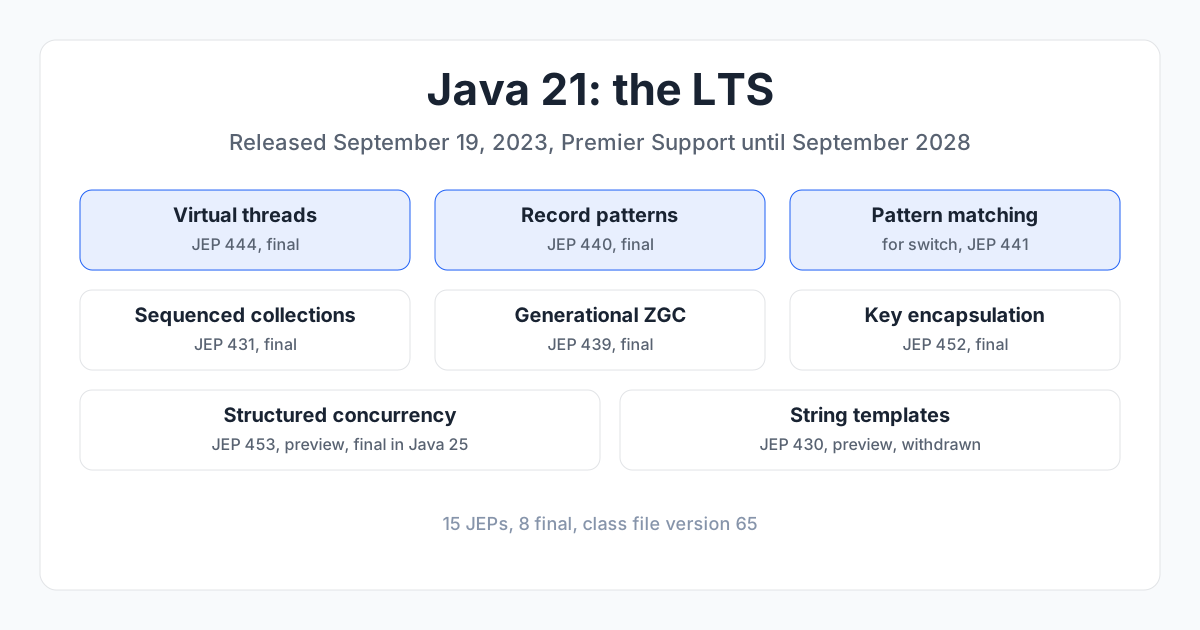
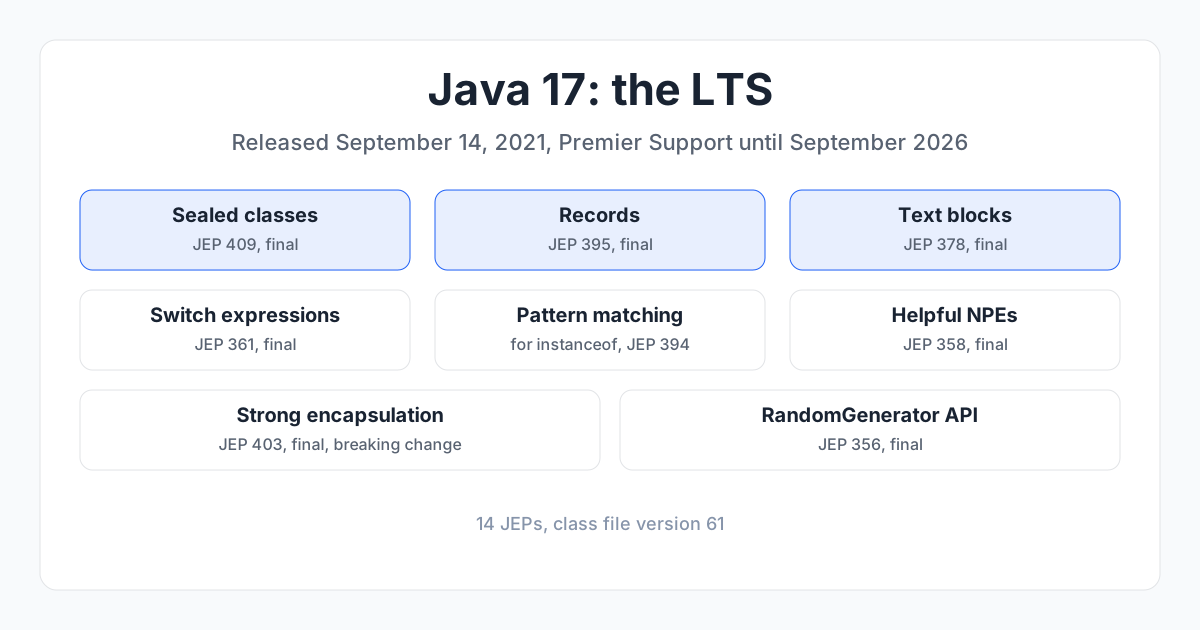
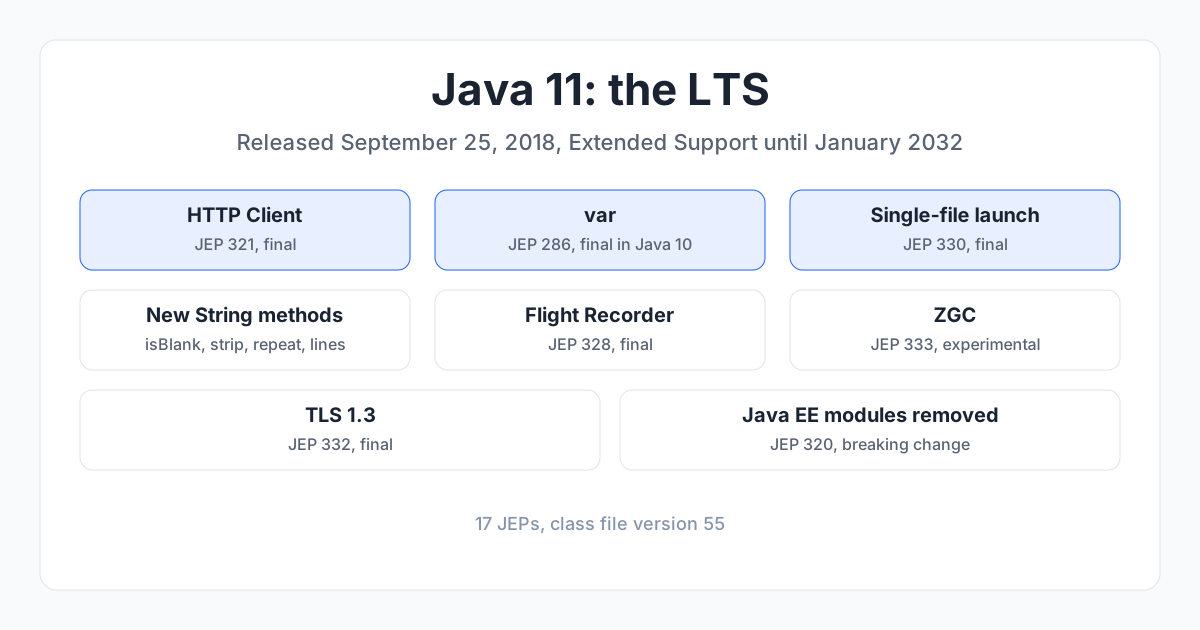
Java ships a new version every six months, but most get only six months of support. Every two years, one version is marked Long-Term Support (LTS) and gets years of security fixes. Java 11 is an LTS, with Extended Support until January 2032. The previous LTS was Java 8 (March 2014); the next is Java 17 (September 2021). Java 12 to 16 are short-term releases. Teams that run production systems pick an LTS and stay on it.
A feature is final when it is permanent and safe to use. A preview feature is runnable but can still change, so do not use it in production. An incubator feature is even earlier. I label every preview and incubator feature below.
2. The big picture#
Java 11 is the release where Java becomes usable for the everyday work that Java 8 made painful. A modern HTTP client replaces HttpURLConnection. You can run a single file without compiling it first. String finally has the small helpers you write by hand. And Flight Recorder, a profiler that used to cost money, is now free and built in. If you are coming from Java 8, this is the release that makes the upgrade feel worth it.
3. HTTP Client (JEP 321)#
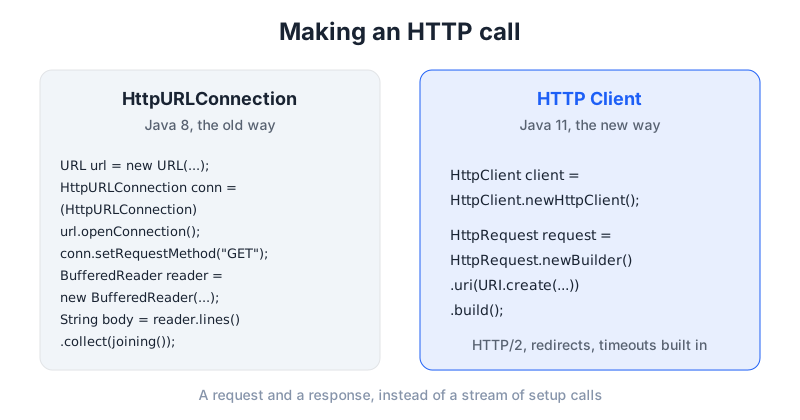
A modern built in HTTP client that speaks HTTP/2, so you stop wrestling with HttpURLConnection or adding a third party library for a simple REST call.
Before (Java 8):
URL url = new URL("https://api.example.com/users");
HttpURLConnection conn = (HttpURLConnection) url.openConnection();
conn.setRequestMethod("GET");
try (BufferedReader reader = new BufferedReader(
        new InputStreamReader(conn.getInputStream()))) {
    String body = reader.lines().collect(Collectors.joining());
}
After (Java 11):
HttpClient client = HttpClient.newHttpClient();
HttpRequest request = HttpRequest.newBuilder()
    .uri(URI.create("https://api.example.com/users"))
    .build();
HttpResponse<String> response = client.send(request, HttpResponse.BodyHandlers.ofString());
String body = response.body();
The new client is built around a request and a response, and it handles HTTP/2, redirects, and timeouts without extra code. There is also an async form, client.sendAsync(...), which returns a CompletableFuture instead of blocking. Note that client.send() throws IOException and InterruptedException, so it needs a throws declaration or a try catch. Use it for any HTTP call, and stop reaching for HttpURLConnection or a third party client for simple cases.
4. var, local variable type inference (JEP 286)#
The compiler can work out the type of a local variable from the value you assign, so you stop repeating the type on both sides of the =. This is a Java 10 feature, but it belongs in this post because Java 11 is the first LTS that has it, and most readers are coming from Java 8.
Before (Java 8):
Map<String, List<String>> namesByCity = new HashMap<String, List<String>>();
After (Java 11):
var namesByCity = new HashMap<String, List<String>>();
Use var when the type is obvious from the right hand side, and the line gets shorter without losing clarity. Do not use it when the type is not obvious, because then the reader has to guess. It only works for local variables, not for fields, method parameters, or return types.
Java 11 also lets you use var for lambda parameters (JEP 323), which mainly matters because it lets you put an annotation on a lambda parameter without writing out the full type:
BiFunction<String, String, String> join =
    (@NonNull var a, @NonNull var b) -> a + b;
5. Launch single-file source-code programs (JEP 330)#
You can run a single Java file directly without compiling it first, which makes Java usable for small scripts and examples.
# Before: compile, then run
javac Hello.java
java Hello

# After: run the source file directly
java Hello.java
This is the first step toward the compact source files that Java 25 finishes. Use it for examples, for teaching, for a quick script, and for testing a small idea without setting up a project. A real application still needs classes, packages, and a build tool.
6. New String methods#
String finally has the small helpers every developer writes by hand: blank check, strip, repeat, and split into lines.
Before (Java 8):
boolean blank = s.trim().isEmpty();
After (Java 11):
boolean blank = s.isBlank();
String stripped = s.strip();
String repeated = "ha".repeat(3); // "hahaha"
s.lines().forEach(System.out::println);
isBlank() is true for an empty string and for a string that is only whitespace, so it replaces the trim().isEmpty() pattern. strip() is like trim() but it understands Unicode whitespace. repeat() builds a string by repeating it. lines() splits a string into a stream of lines. Also new in Java 11: Files.readString() and Files.writeString() for reading and writing a whole file in one call, and Optional.isEmpty().
7. Flight Recorder (JEP 328)#
A low overhead profiler built into the JDK that records what your program was doing, so you can find a slowdown without adding a profiling agent. There is no code to write. Start a recording from the command line:
java -XX:StartFlightRecording=duration=60s,filename=app.jfr -jar app.jar
Then open app.jfr in JDK Mission Control. It used to be a commercial feature in JRockit; Java 11 made it free and open source. Use it when production is slow and you need to know why, without restarting the application with a profiler attached.
8. ZGC, a scalable low latency garbage collector (JEP 333, experimental)#
A garbage collector that pauses for only a few milliseconds even with a huge heap, so a big server stops freezing while it cleans up. There is no code to write. Turn it on with a flag. It was experimental in Java 11, so it needs the unlock flag:
java -XX:+UnlockExperimentalVMOptions -XX:+UseZGC -jar app.jar
ZGC became final in Java 15, and generational ZGC arrived in Java 21. Use it for large servers where a long garbage collection pause would be visible to users.
9. TLS 1.3 (JEP 332)#
Java 11 speaks TLS 1.3, the newest version of the encryption that protects HTTPS, with faster handshakes and stronger ciphers. There is no code to write. It is on by default when you make an HTTPS connection.
10. What Java 11 picks up from 9 and 10#
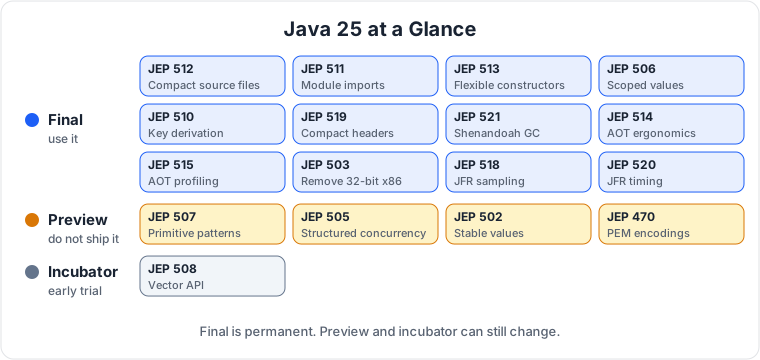
Java 11 finalizes the HTTP client, which was an incubator in Java 9 and 10. It also picks up modules (Java 9), JShell (Java 9), collections factory methods like List.of() (Java 9), private methods in interfaces (Java 9), G1 as the default garbage collector (Java 9), compact strings (Java 9), var for local variables (Java 10), application class-data sharing (Java 10), and time based version numbers (Java 10).
New in Java 11 itself: the HTTP client final, var in lambda parameters, single-file source launch, Flight Recorder, ZGC experimental, Epsilon GC, TLS 1.3, the new String methods, Files.readString and writeString, and Optional.isEmpty.
11. The removal: what to watch when you upgrade#
This is the big one for Java 8 users. Java 11 removes the Java EE and CORBA modules from the JDK (JEP 320). javax.xml.bind (JAXB), javax.xml.ws (JAX-WS), javax.activation, javax.transaction, java.corba and the java.xml.ws.annotation module are gone. If your code imports them, you get NoClassDefFoundError: javax/xml/bind/JAXBContext on Java 11. The fix is to add them as libraries, for example the Jakarta XML Binding dependency, instead of relying on the JDK.
Two more things to know. The Nashorn JavaScript engine is deprecated (JEP 335); it was removed in Java 15, so do not start new work on it. And JavaFX left the JDK in Java 11 and is now a separate project (OpenJFX). If you used JavaFX, you now add it as a dependency.
12. Should you upgrade#
If you are on Java 8, yes, and this is the version to move to. Java 11 is the LTS, it is supported until January 2032, and the HTTP client, var, and Flight Recorder alone are worth the move. The main thing to check before you upgrade is whether your code uses JAXB, JAX-WS, or any other Java EE module, because those are gone and you need to add them as libraries first.
The next post in this series is Java 8, the release that changed Java more than any other. Read the Java 17 post for the next LTS after this one, and the Java 25 post for the newest LTS.
13. The series#
- Java 8: the release that changed Java forever
- Java 11: the HTTP client, var, and the removal of the Java EE modules (this post)
- Java 17: the LTS that locked the language down
- Java 21: the LTS that made threads cheap
- Java 25: the new LTS, explained for everyone

Principal Engineer, Payments & Fraud Platforms at US Mobile, in New York, USA. I write about the systems I run: fraud decisioning, payment platforms, edge security, and production AI.